Creating an API User in Autotask
To use the API, you will need to create an API user. Please follow these steps:
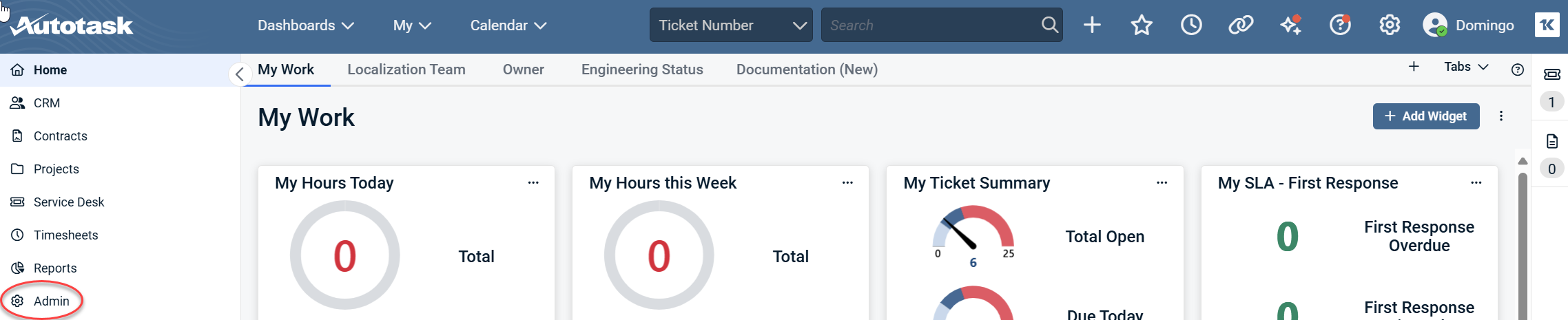
1. From the Autotask dashboard, navigate to the Admin section in the left menu.
2. Click Resources (Users).
.png)
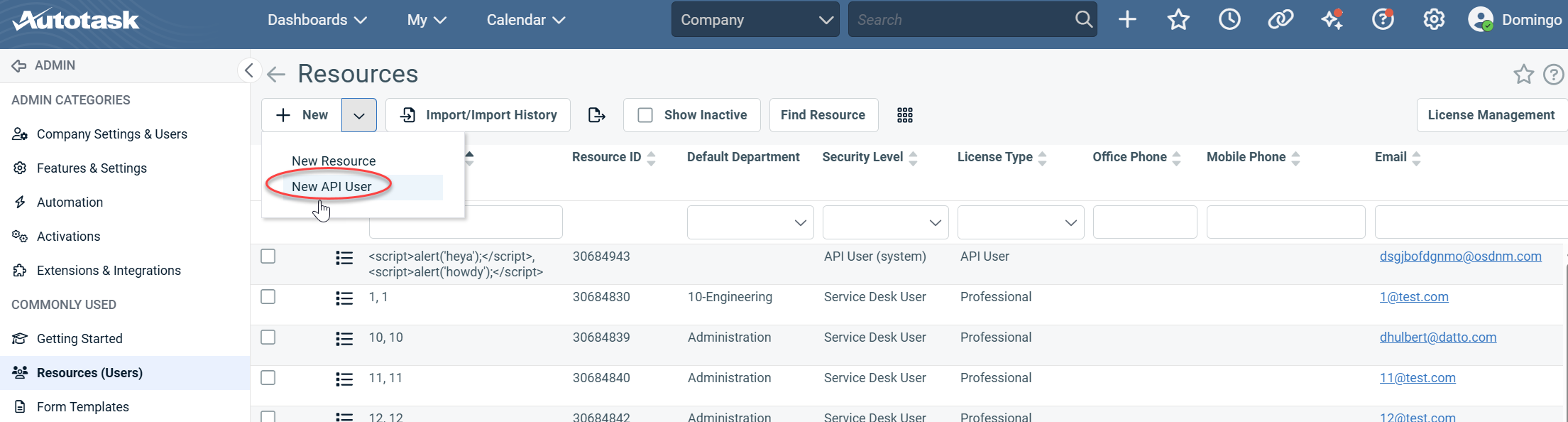
3. Select New API User from the + New drop-down menu.
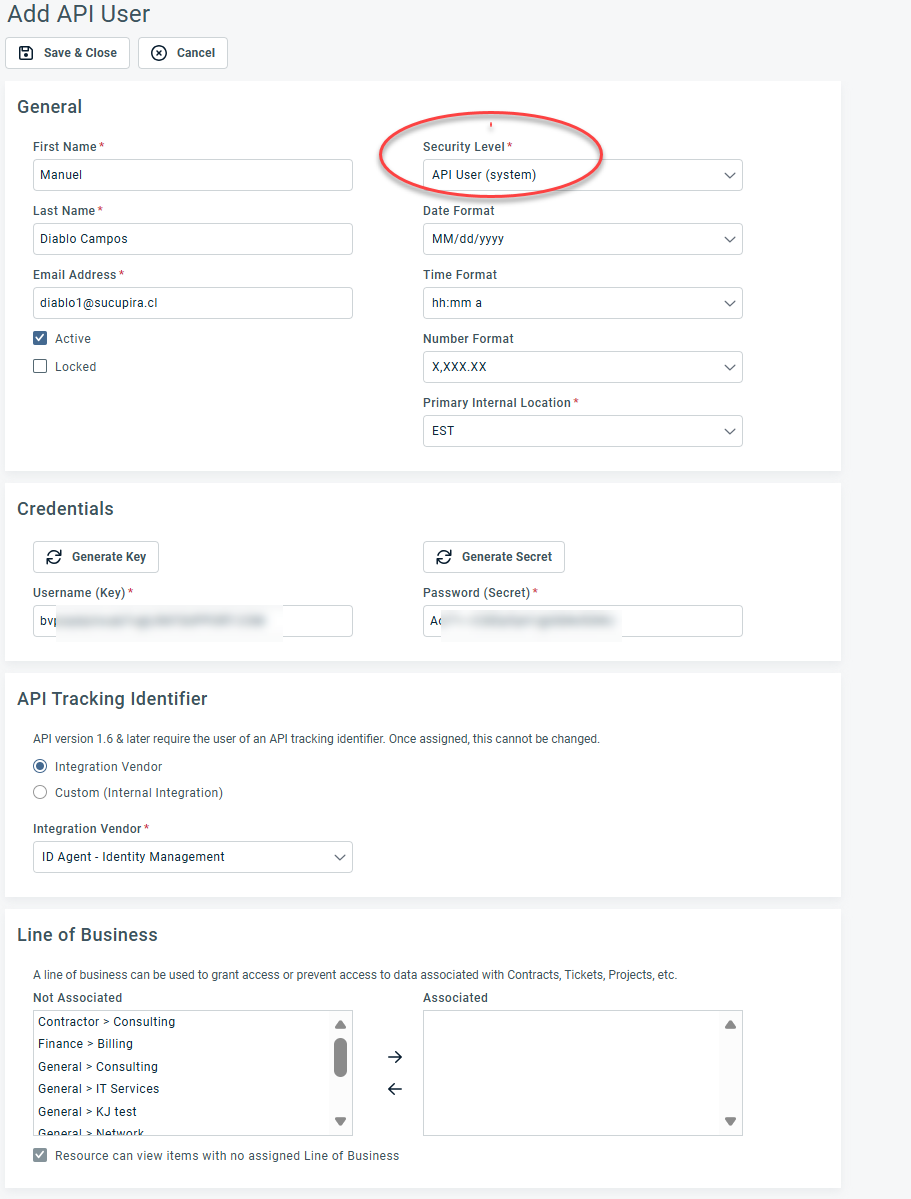
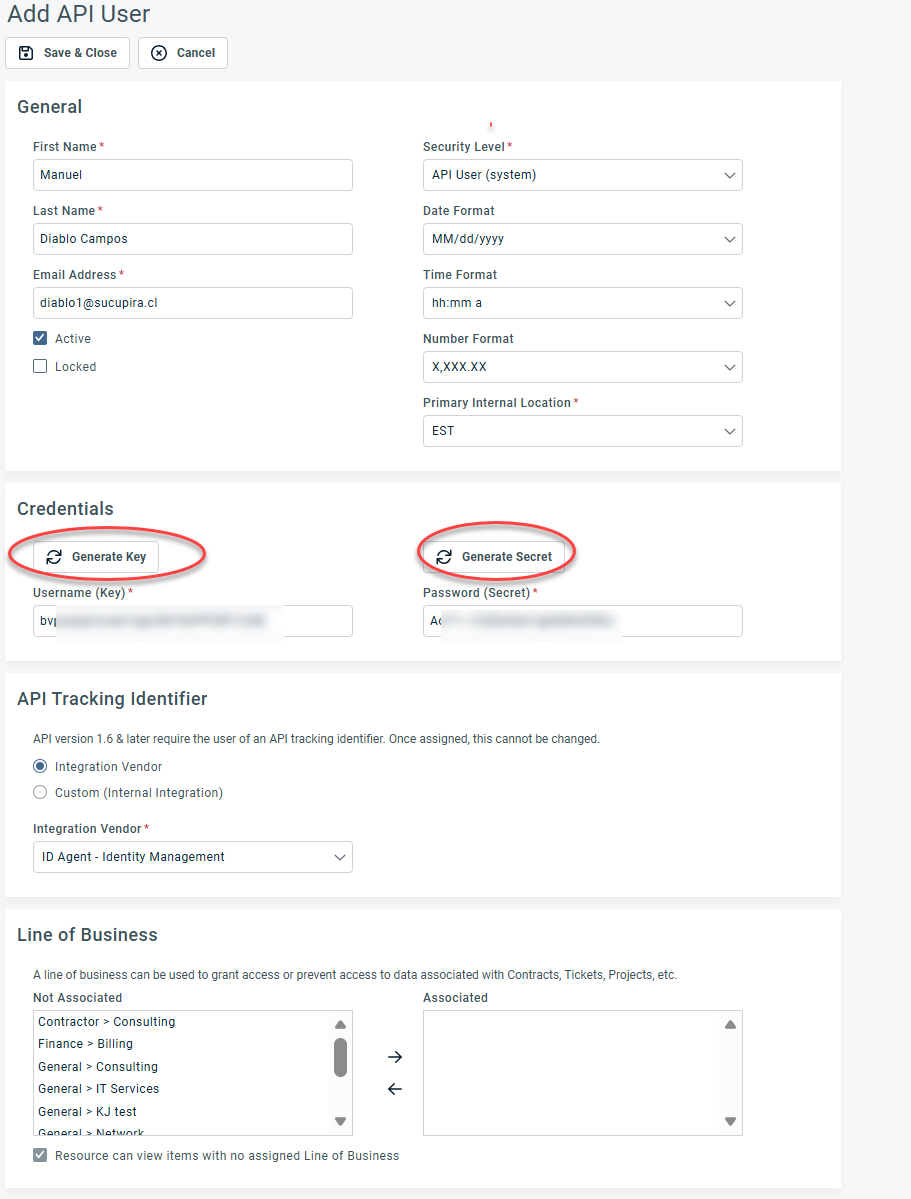
4. Fill out the required information for the new API user, ensuring that the Security Level is set to API User.
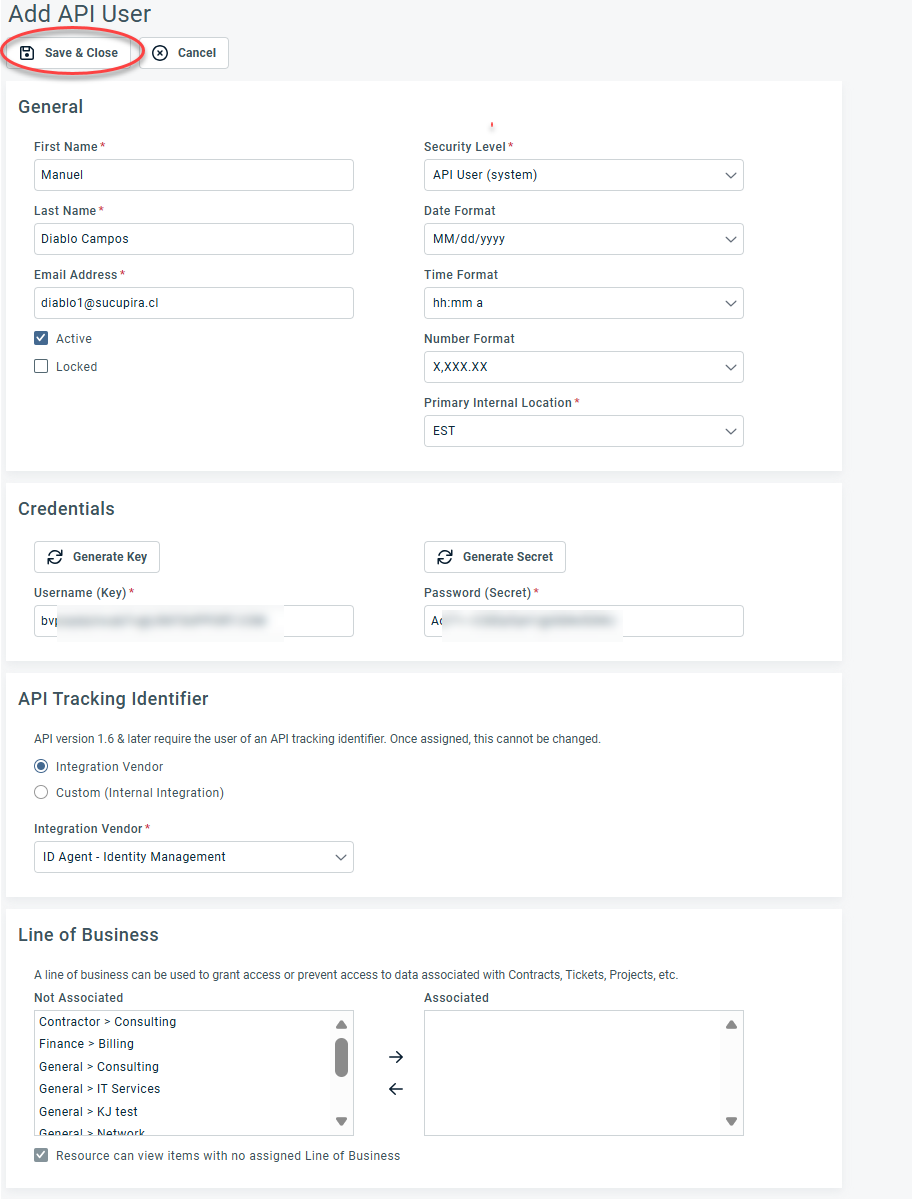
5. Click Generate Key and Generate Secret.
IMPORTANT Be sure to copy both the key and secret, as these will be needed for integrating Autotask with Dark Web ID.
6. In the API Tracking Identifier section, select ID Agent - Identity Management in the Integration Vendor drop-down menu.
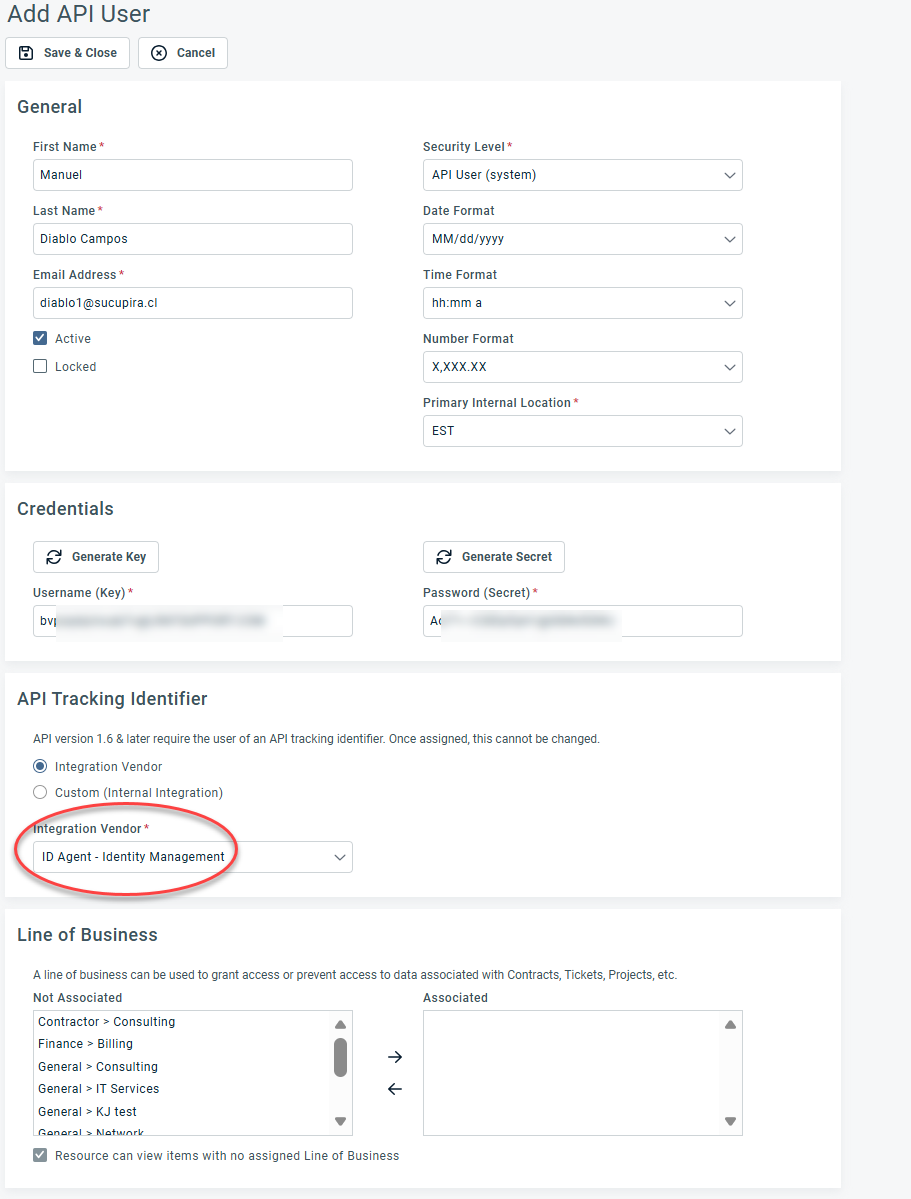
7. Click Save & Close. This will add a new API user to the application